E-CLAUT
Remote management. Instant support. Maximum uptime.
Take full control of your E-Claw 2.0 machines from anywhere - reduce downtime, streamline operations, and grow revenue with effortless remote management.

What is E-CLAUT?
A remote management technology that puts you back in control of the operation of your ELAUT products.
With E-CLAUT you’ll run smarter operations, with less time spent on the maintenance of your machines, so you can focus on growing your business and increase revenues.
Smart game management
Access your E-Claw 2.0 machines anytime, anywhere.
Remote, online access to your machine
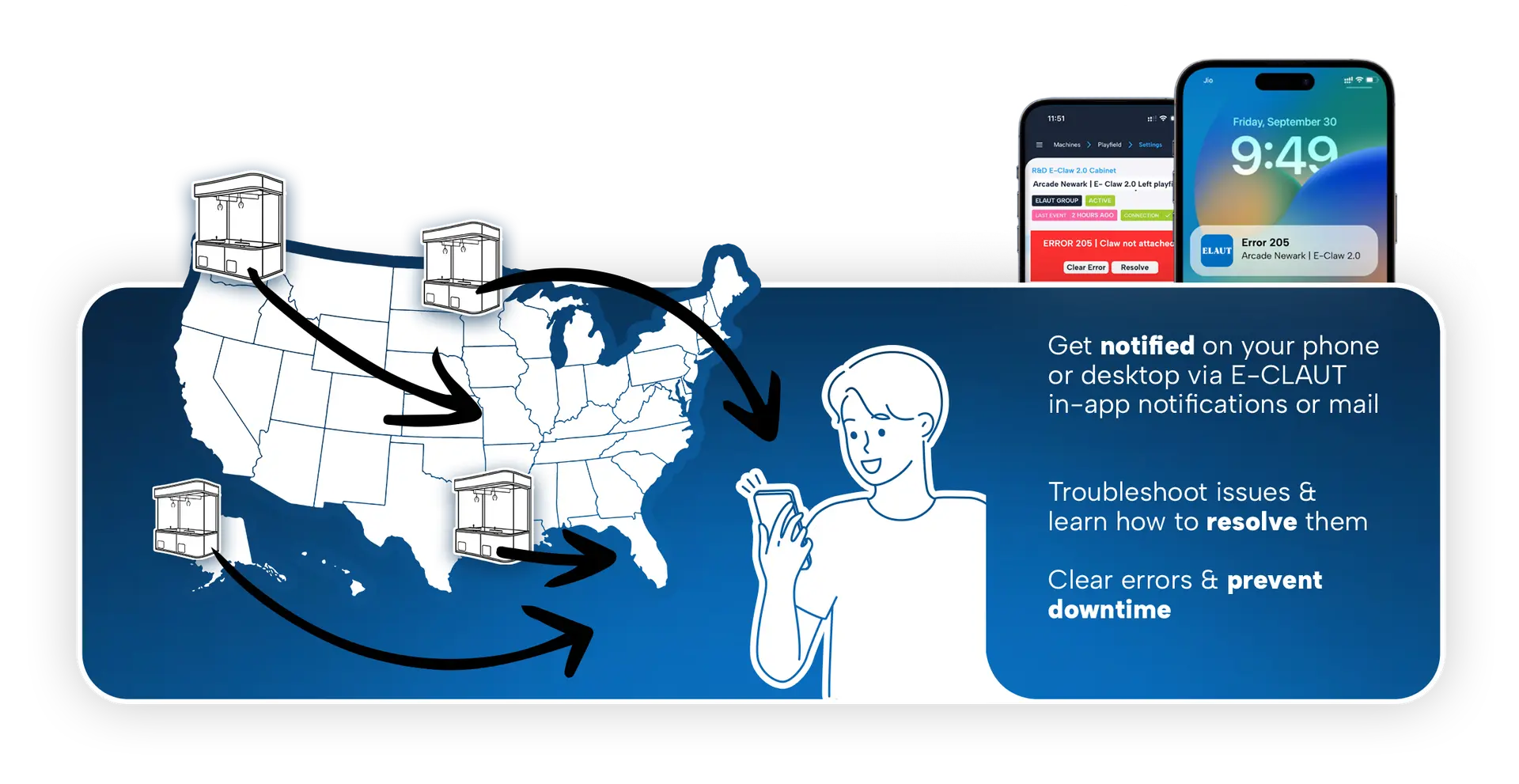
Receive machine notifications like errors & warnings
Run machine actions from a distance
Accessible via touchscreen display or WebApp


Remote service & support
Remote control so you win time & can increase revenue.
Easy troubleshooting of errors
How-to-resolve videos and step-by-step guides
Get remote support from your distributor or ELAUT team
Over-the-air software & firmware updates
Data & insights at your fingertips
Efficient operations & reporting through real time data.
Income & data reports per machine, per arcade
Popular prizes and player activity insights & statistics
Assign authority roles within your organisation
Machine activity reports & down time reports

Why operators love E-CLAUT
E-CLAUT helps you save time and resources, resulting in increased revenue for your business.
Save time
Fix issues remotely and eliminate unnecessary travel.
Maximise uptime
Prevent revenue loss by acting instantly when there’s an error.
Increase revenue
Optimise prizes, minimise downtime, and keep players engaged.
Getting started with E-CLAUT
Activate your E-CLAUT account in just a few steps.
Step 1: Create an account
You can create your E‑CLAUT account even before your machine is delivered, so you’re ready to activate it as soon as it arrives.
Once your order is confirmed, you’ll receive a registration email with the steps to set up your account.
Step 2: Bring your E-Claw 2.0 online
Once your account is ready and your machine has been delivered, it’s time to connect your E‑Claw 2.0.
To get started:
- Install the custom router (purchased from ELAUT with your order).
- Scan the QR code on the control panel screen to access E‑CLAUT.
- Log in with your admin account and add the machine to your account.
- Repeat these steps for every E‑Claw 2.0 machine.
Connect your machine via router with wired internet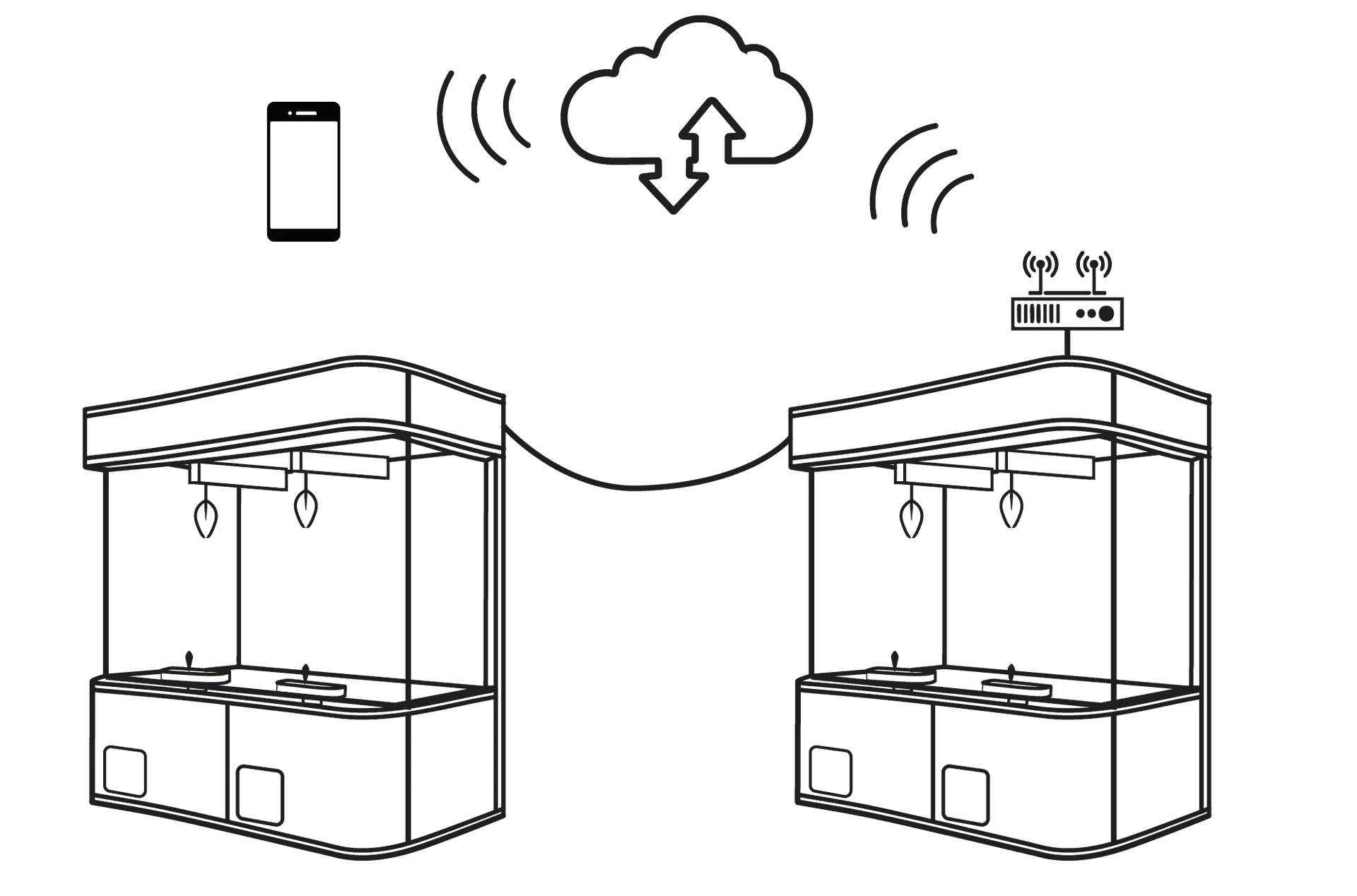 Connect your E-Claw 2.0 machines to internet by cable (Wired WAN).
We do not support wireless WAN at the moment. This will be released at a later stage.
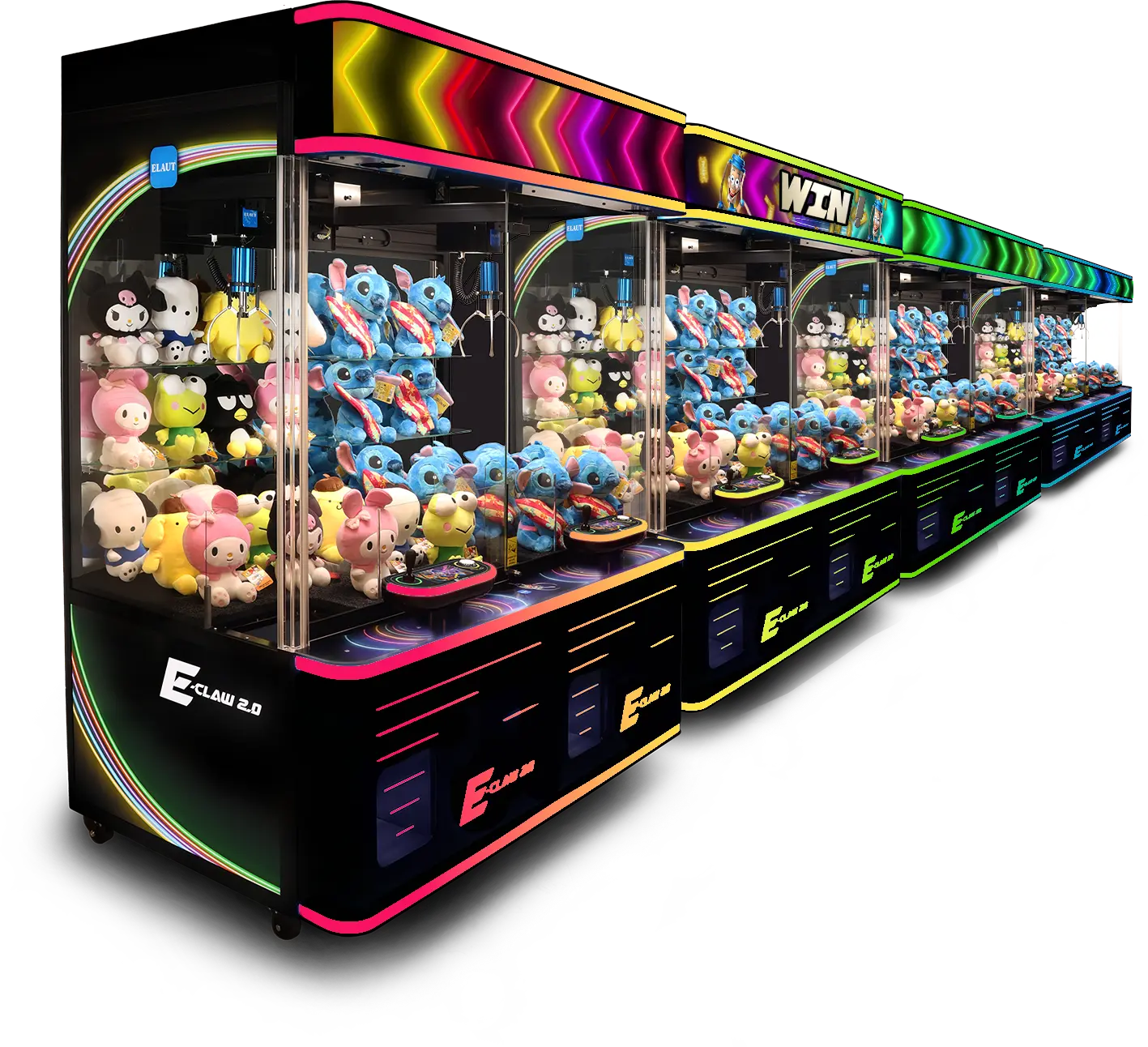
Smarter operations, fewer headaches and more time to focus on your business.
Experience the power of remote control, real-time insights and increased efficiency.
Frequently asked questions
Below are answers to some of the most common support questions about E-CLAUT.
- You receive an invitation email when purchasing your E-Claw 2.0 machine. Follow the steps in this email to get started. You will be asked to create your customer profile & set the Super Admin user profile of your company account.
- You receive an invitation email of your Super Admin User to start using your company account as a user.
Cannot find your login details back or didn't receive an email? Please contact the ELAUT team and we'll send you a new invitation link.
E-CLAUT uses role-based access management, allowing operators to control exactly what each user can see and do within the platform. This helps maintain security while ensuring employees have access only to the tools they need.
Five user roles are available:
- Owner (Super Admin) – Full platform access, including user management, machine settings, reporting, and administration.
- Admin – Manages machines, settings, reports, and users below the Admin level.
- Arcade Manager – Oversees daily operations, machine performance, alerts, and staff management.
- Technician – Focused access to technical information, maintenance, diagnostics, and support functions.
- Employee – Access to operational tasks and machine information required for day-to-day activities.
Permissions are managed hierarchically, meaning higher-level users can create and manage users with lower access levels. This structure ensures secure, organized, and scalable access management across single or multiple locations.
Each employee can have their own account, providing clear accountability and visibility into user activity across your operation.
Want to see exactly what each role can access? View the complete User Roles & Permissions Overview in E-CLAUT, including a detailed breakdown of every permission for Owner (Super Admins), Admins, Arcade Managers, Employees, and Technicians.
Tip: We recommend assigning individual user accounts rather than shared logins to improve security, accountability, and operational visibility.
E-CLAUT helps operators save time, improve machine performance, and reduce operational costs.
By combining real-time monitoring, remote management of your machine like running machine actions, automated alerts, performance reporting, and remote support tools in a single platform, operators gain greater control over their business while reducing manual work and needing more staff.
E-CLAUT provides real-time visibility into the performance of your connected machines. Depending on the machine type, you can monitor key information such as earnings, gameplay activity, player wins, popular prizes, machine status, error messages, location performance, and operational trends.
This allows operators to make faster decisions and identify opportunities to improve performance across their route or arcade.
E-CLAUT allows authorized users to remotely adjust and run actions on connected machines without visiting the location.
Available settings depend on the machine category, but may include operational parameters, monitoring stock levels, changing the machine theming & videos, and other machine-specific settings. Changes are securely executed on the connected machine as well as on those synchronized with the machine in question by cable or wireless machine network.
Yes. E-CLAUT is designed to support operators with one or many locations.
From a single dashboard, you can monitor connected machines across different sites, compare performance between locations, and manage user access based on specific responsibilities or regions.
When a machine is connected to E-CLAUT, authorized support teams can access diagnostic information remotely if the machine has an active internet connection.
This allows many issues to be identified, analyzed, and resolved faster, reducing the need for on-site visits and helping operators minimize machine downtime.
In addition, E-CLAUT includes a built-in knowledge base with instructional videos, troubleshooting guides, and step-by-step tutorials. These resources help operators and technicians quickly identify and resolve common issues, reducing downtime and improving operational efficiency.
The Owner (Super Admin User) has full control over their E-CLAUT company workspace and can enable if ELAUT or their assigned distributor has full access, commercial access or service access.
This allows for:
- Full Access = ELAUT & Distributor can see all the settings, data dashboards & service features to support remotely.
- Commercial Access = ELAUT & Distributor can see all settings & data dashboards, but will not be able to support remotely and see what the errors are.
- Service Access = ELAUT & Distributor are not able to see anything, besides help the customer when it comes down to service & support via remote surveillance of errors.
Individual users can set their personal preferences for notifications via the notification center in their profile section. Here they can allow to receive push and/or email notifications for various topics & alerts.
If a machine temporarily loses its internet connection, it will continue operating normally and no critical data is lost.
E-CLAUT stores data locally while the machine is offline, including the full details of up to 100 individual game sessions. If that limit is reached, sessions are grouped together, but all financial data remains available for accurate revenue reporting.
In most cases, the local buffer covers 1 to 3 days of activity. Once the connection is restored, all stored data is automatically synchronized with E-CLAUT.
Key points:
Machines continue operating normally while offline.
Full details for up to 100 games are stored locally.
All financial data is retained.
Data automatically syncs when the connection is restored.
Remote monitoring and management features become available again once reconnected.